Features

Everything your calendar needs to run itself.

Automated SMS reminders, online booking, and Google Calendar sync — built for small businesses that run on appointments.

Start free trial See pricing Free trial included
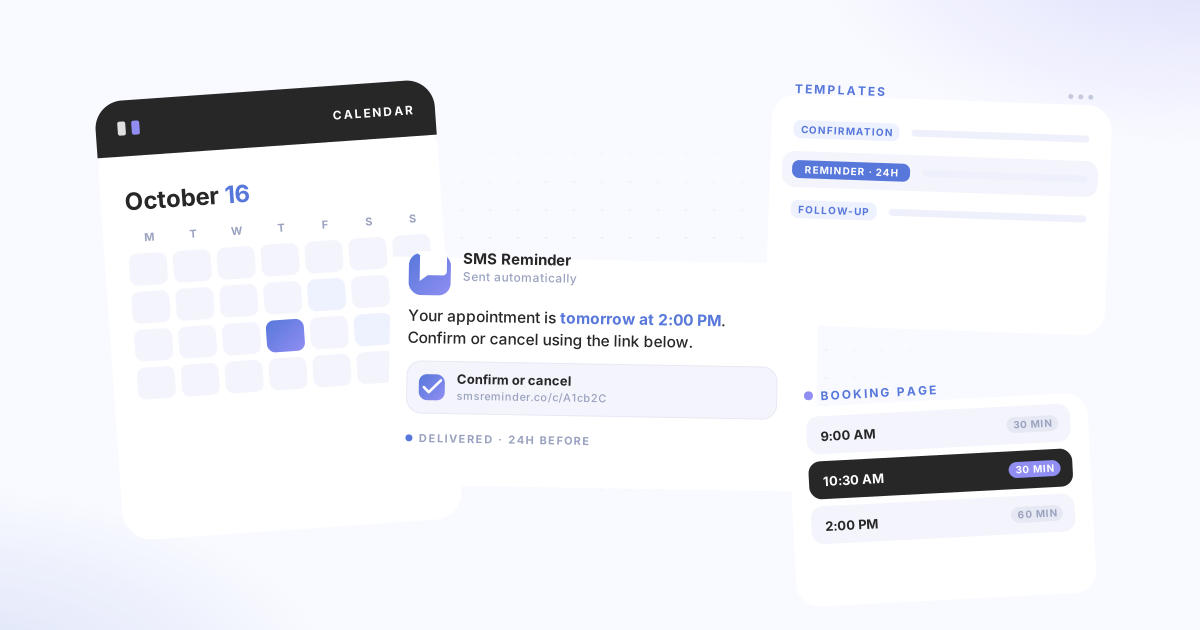
SMS Reminder product showing a calendar, SMS reminder message, templates panel, and booking page
SMS reminders

Automatically text clients before every appointment

Set up your message templates once. SMS Reminder sends confirmations, reminders, and follow-ups automatically based on your Google Calendar — no manual sending required.

  • Three message types — send a confirmation when an appointment is booked, a reminder before it starts, and a follow-up once it ends. Each type is optional and independently configurable.
  • Flexible timing — choose from preset timings (30 min, 1 hour, 24 hours) or set a custom number of days, hours, or minutes for any message.
  • Clients confirm or cancel via a secure link — each reminder can include a link for one-tap confirmation or cancellation. No SMS reply needed. Calendar updates automatically.
  • Dynamic fields — insert {date}, {time}, {location}, {title}, and more so every message includes the right appointment details.
Online booking

Let clients self-book directly into your Google Calendar

Share a booking link, set your availability, and let clients pick a time that works. Every booking syncs straight to your Google Calendar.

  • Shareable booking page — send the link by email, add it to your website, or share it anywhere clients can access it.
  • Appointment types — create different types with different durations, rules, and reminder settings. Each type can link to a different Google Calendar.
  • Availability and buffers — set your open hours, add closed dates, and configure minimum notice periods and buffer time between appointments.
  • Automatic reminders for bookings — configure SMS reminders per appointment type so they activate for every new booking. Phone number is added to the calendar event after booking to activate reminders.
  • Add to your website — embed a booking button using the Shopify embed or the WordPress plugin.
Google Calendar

Works inside the calendar you already use

SMS Reminder connects to Google Calendar and stays out of your way. No new calendar to learn, no migration, no extra tools to manage.

  • Multiple calendars — connect more than one Google Calendar and link different reminder templates to each. Calendar limits vary by plan.
  • Calendar colour-coding — when appointment confirmations are enabled, your calendar events update automatically: confirmed turns green, cancelled turns red, pending stays yellow.
  • Template per calendar — different calendars can use different default message templates with no manual selection needed.
  • Works with any Google Workspace account — no paid Google Workspace subscription required. Sign in with your Google account and connect.
Calendar status
Sarah K. — Initial consult
Mon 10:00 AM
Confirmed
Marcus T. — Follow-up
Tue 2:00 PM
Pending
Priya N. — Review
Wed 11:30 AM
Cancelled
All features

Built for the way small businesses work

Message types

Confirmation messages
Sent when an appointment is booked or updated. Re-sent automatically if the date or time changes.
Reminder messages
Sent before the appointment starts. Set multiple reminders per appointment at different lead times.
Follow-up messages
Sent after the appointment ends. Useful for reviews, rebooking prompts, or post-appointment instructions.

Templates and timing

Multiple templates
Create different templates for different services, locations, or appointment types.
Per-calendar templates
Link a specific template to each Google Calendar so reminders apply automatically without manual selection.
Per-appointment overrides
Change the template or message for a specific appointment without affecting your defaults.
Custom timing
Choose from preset timings or set a custom number of days, hours, or minutes for any message type.

Confirmations and tracking

Confirm or cancel via link
Each reminder can include a link clients use to confirm or cancel. No SMS reply required.
Calendar colour-coding
Confirmed appointments turn green, cancelled turn red, pending stay yellow — visible directly in Google Calendar.
Dynamic message fields
Insert {date}, {time}, {location}, {title}, and more. Reminders populate with real appointment data automatically.
Usage calculator
The built-in calculator shows character count, segment usage, and estimated monthly reminder consumption as you type.
Four ways to use it

Use SMS Reminder however works for you

All four methods connect to the same account, templates, and settings.

📅
Google Calendar Add-on
Install from Google Workspace Marketplace and set reminders directly in your calendar sidebar. No tab-switching required.
🌐
Web App
Log in at smsreminder.co to manage reminders, templates, booking settings, and your account dashboard.
🔌
Chrome Extension
Install the Chrome extension to manage reminders inside Google Calendar on the web — works on desktop and mobile browsers.
#
#hashtag# format
Add a client's phone number between # symbols in any calendar app event. SMS Reminder detects it and sends the reminder automatically.
Also useful: Setup guide → · Explore guides → · See use cases →

Ready to reduce no-shows?

Start your free trial today. Connect your Google Calendar and send your first reminder in under 10 minutes.

Connect my calendar

Free trial included · Cancel any time