Is there a limit on how many appointment types I can create?
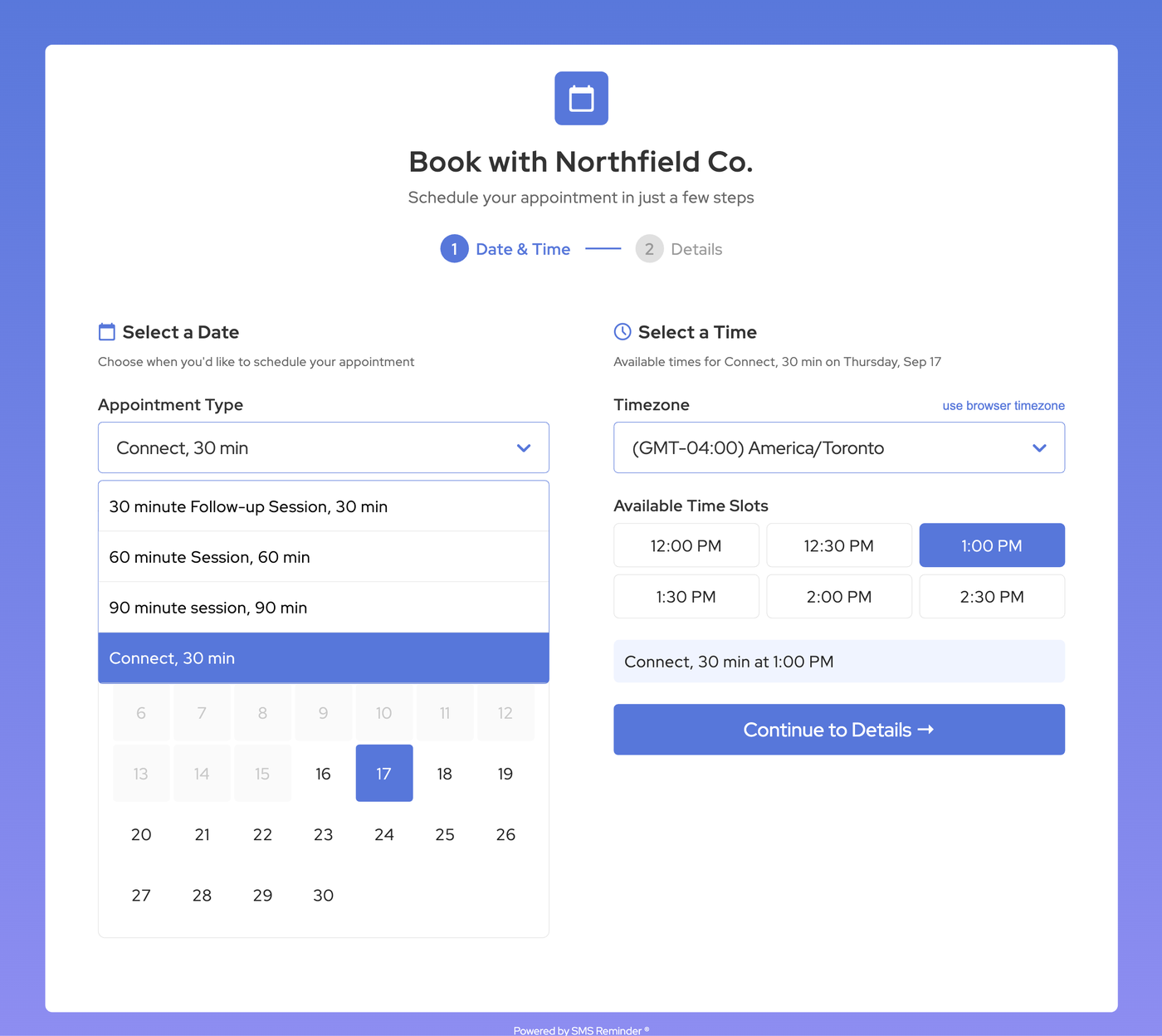
No. You can create unlimited appointment types on every plan, including the free plan — one for every service, session length, staff member or location — and clients choose between them on a single booking page. Your plan limits how many calendars you can sync, not how many appointment types you create.
Can I add my logo and brand colour to my booking page?
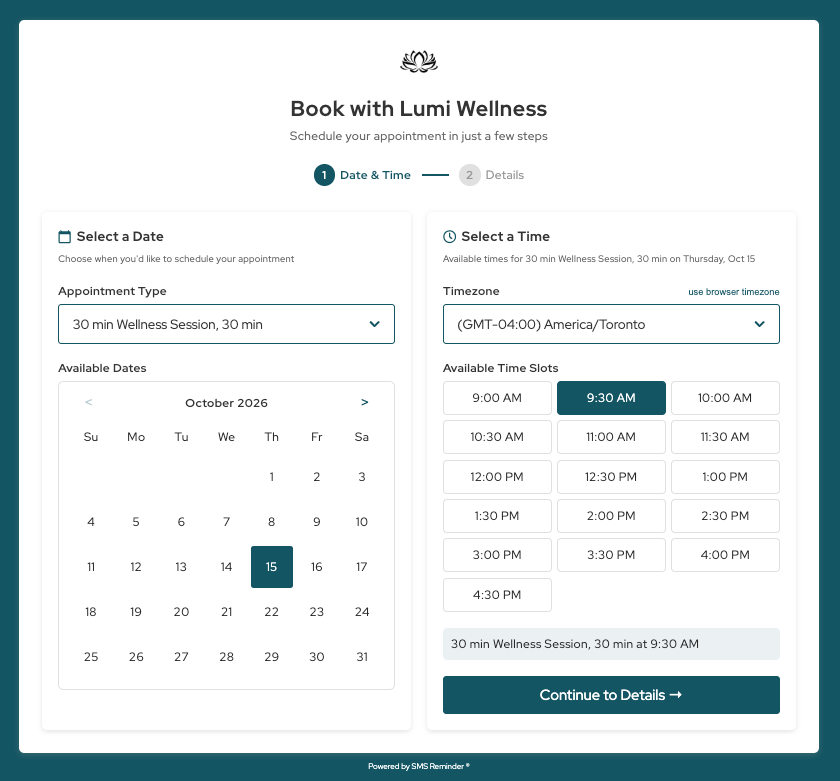
Yes, on every plan. In Settings → Booking Page → Branding, upload your logo (PNG or JPG, up to 2 MB) and pick one brand colour from the presets or enter your own hex code. Your colour is used on the background, buttons, time slots, selected options and links, and you can preview it before saving. One logo and one colour apply to all your booking pages, including your shared booking link and the booking widget on your website.
Can I add a Google Meet link to bookings automatically?
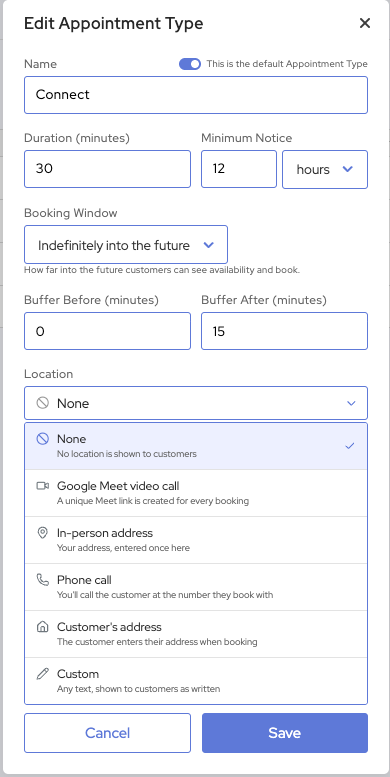
Yes. Set the appointment type’s location to Google Meet video call and every booking gets its own Meet link, created for you. The link goes into your Google Calendar event and the client’s confirmation page and email, and stays the same if the client reschedules. Add {videolink} to your reminder template to include it in your SMS reminders too. The calendar linked to the appointment type must allow Google Meet.
How do clients know where the appointment is?
Give each appointment type a location: an in-person address (clients can tap it to open Maps), a phone call, the client’s own address, a Google Meet video call, or any custom text such as parking or entry instructions. Clients see it on the confirmation page and in their confirmation email, and it’s added to your Google Calendar event. Add {eventlocation} to your reminder template to put it in your SMS reminders. Location is free on every plan.
Can clients enter their own address when they book?
Yes. Choose Customer’s address as the location and the address field becomes required on your booking form — useful for cleaners, trades, mobile services and home visits. The address is added to the booking so you know where to go.
Does the booking page work with Google Calendar?
Yes. The booking page reads your Google Calendar for busy time and adds every new booking straight into the calendar linked to that appointment type. Your calendar stays the source of truth.
Can I use one booking link for several staff members or locations?
Yes. Create an appointment type for each staff member, service or location and link each one to its own Google Calendar. Clients choose the type on one booking page and the booking lands in the right calendar. The number of calendars you can connect depends on your plan.
Can I set minimum notice and buffer times between appointments?
Yes. Set a minimum notice period in minutes, hours or days on each appointment type, so open times only appear after that notice. Add buffers before or after appointments, and times that overlap a buffer aren’t offered.
How is this different from Google Calendar’s own appointment schedules?
Both put bookings in Google Calendar. Google lists more than one appointment schedule and automatic email reminders as features that need an eligible paid Google subscription, and its reminders are emails. The SMS Reminder booking page gives you unlimited appointment types on every plan, one link that books into different staff calendars, and SMS reminders on every booking.
How do I stop clients booking my lunch break?
Add the time as an event in Google Calendar and make sure it is marked Busy. Busy events are treated as unavailable, so those times are never offered on your booking page.
Can clients reschedule their own appointment?
Yes, if you turn rescheduling on. A Reschedule option appears on the confirmation page and clients choose a new open time. You can turn it off for individual appointment types.
Can clients book a recurring appointment?
Not through the booking page — it takes one-off appointments. You can still create recurring appointments in Google Calendar, and each one gets its own reminder.
Do booked appointments get SMS reminders?
They can. Choose an SMS reminder template on the appointment type and reminders are scheduled automatically for every booking made through it. Each appointment type can use a different template.
How do I add booking to my website?
Copy your booking link from Settings → Booking Page and link it from a “Book Now” button, your email signature or your social profiles. On WordPress you can also use the SMS Reminder booking plugin.